
PicReady
Make any photo fit the upload limit
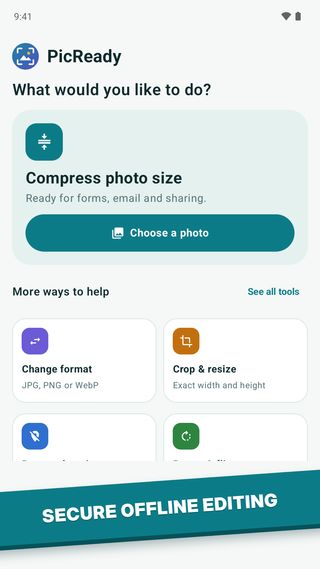
PicReady compresses photos to any size in KB, resizes and crops them, and converts HEIC to JPG in a few taps. The result is never bigger than the limit you choose. Everything happens on your device, so your photos are never uploaded.
Google Play
Android phones and tablets

App Store
Waiting on App Store review
- Version
- 1.0.0
- Price
- Free
- Requires
- Android 10 or iOS 17
- Account
- None
- Ads
- While processing
- Languages
- 20
What it does
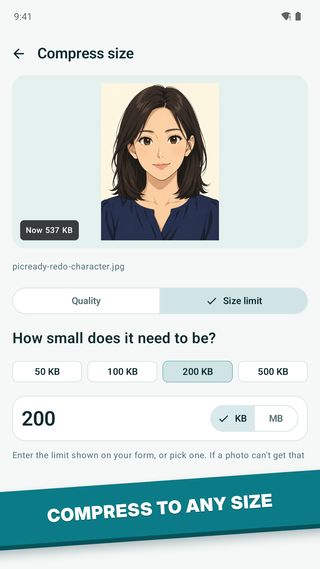
Job applications, exam and government portals, visa forms and email often reject photos that are too large or in the wrong format. PicReady fixes that. Pick a size limit and it finds the best quality that fits without going over, or pick a quality level and see an estimate of the new size before you start.
- 01
Compress to a size in KB
Choose a limit like 50, 100 or 200 KB and get the best quality that stays under it. Or pick a quality level and see the estimated size first.
- 02
Resize and crop
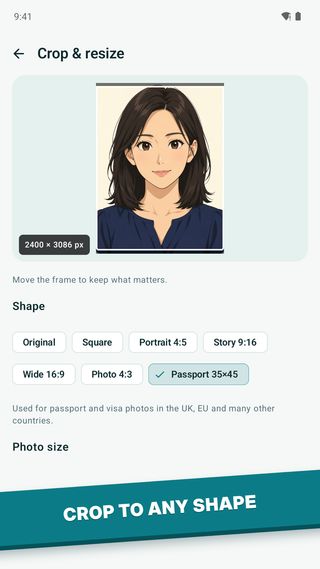
Crop freely or to a set shape, or resize an image to an exact size. Tools work one after another, so you can crop and then compress.
- 03
Convert formats
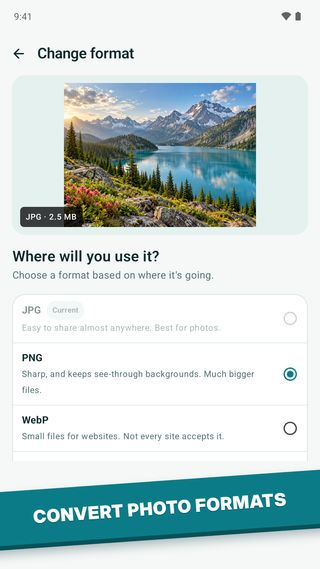
Turn HEIC, PNG, WebP or AVIF photos into JPG, PNG or WebP.
- 04
Passport and document presets
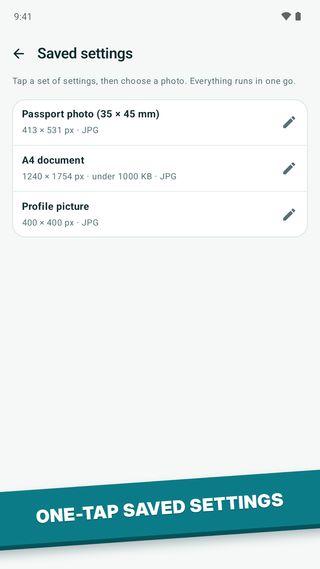
Built-in presets for a 35 x 45 mm passport photo, an A4 document and a profile picture. You can save your own presets too.
- 05
Remove location
Delete the GPS location from a photo before you share it.
- 06
Private by design
Photos are processed on your device and never uploaded. There is no account or sign-in.
Also includedFit to shape, Rotate & flip, Photo details
A closer look
Your photos stay on your phone
PicReady itself collects no personal data. Photos are processed on your device and never leave it. There is no account, no sign-in and no analytics of our own.
PicReady is free and shows ads from Google AdMob, only on the processing screen while a photo is being worked on. There are no in-app purchases or subscriptions. To show and measure ads and prevent fraud, the Google Mobile Ads SDK collects the data below. None of it is linked to your identity.
- Approximate location, from your IP address
- Device and advertising identifiers (the Advertising ID on Android; on iOS the IDFA, only if you allow tracking)
- Ad interactions and app interactions
- Crash logs and performance and diagnostics data
Google may share ad data with its ad partners. Where required, Google's consent form is shown on first launch, and you can change your choice later under Settings > Privacy choices. On iOS, Apple's App Tracking Transparency prompt lets you decline tracking.
Read the full PicReady privacy policy. Questions: help@lazydevtools.com