ImageKraft
14 image tools for your Mac, all on device
A Mac app with 14 tools to convert, compress, edit, trace and batch-process images, all on your Mac.
ImageKraft is a Mac app, so it won't run on this device.
Mac App Store
Intel and Apple silicon


- Version
- 2.0
- Price
- $9.99
- Requires
- macOS 14 or later
- Tools
- 14 image tools
- Processing
- On device
- Security
- App Sandbox
What it does
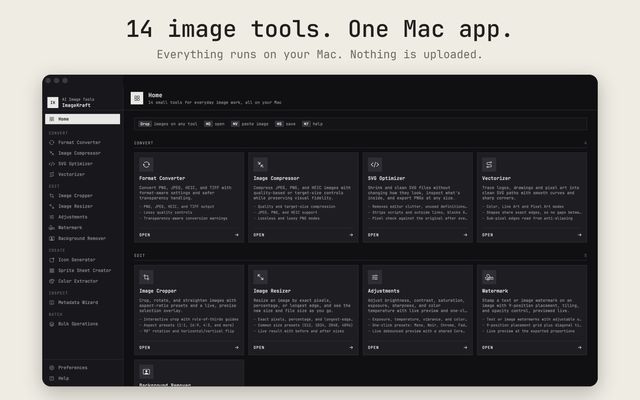
ImageKraft puts 14 image tools in one window: format conversion, compression, SVG optimizing, vector tracing, cropping, resizing, adjustments, watermarking, background removal, icon sets, sprite sheets, color palettes, metadata and batch runs. Images are processed on your Mac and never uploaded. An optional 490 MB HD model gives cleaner cutouts of hair and fur. AI coding agents on the same Mac can use the tools through an optional local skill.
- 01
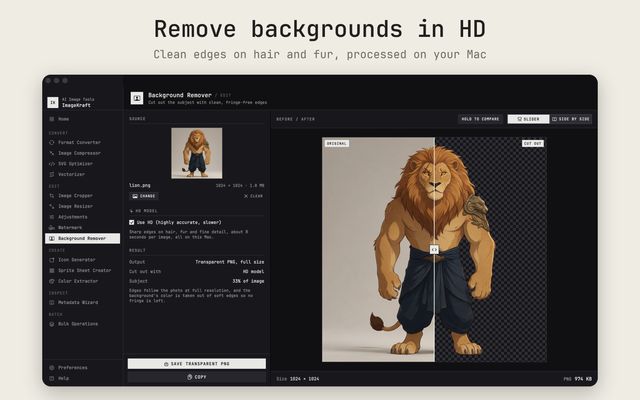
Background Remover
Cuts the subject out to a full-size transparent PNG. An optional 490 MB HD model (16 GB memory recommended) handles hair and fur.
- 02
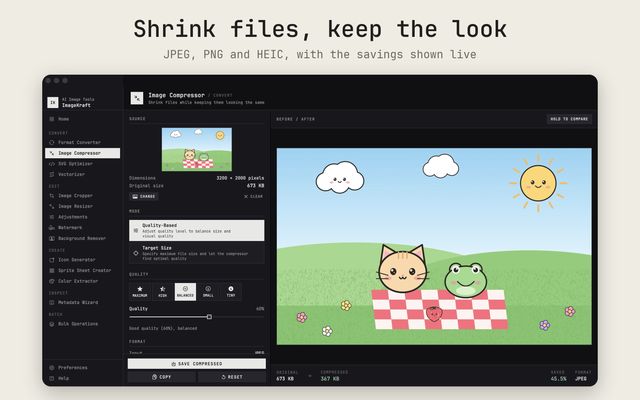
Image Compressor
Quality or target-size compression for JPEG, PNG and HEIC, with lossless and lossy PNG modes and a before/after compare.
- 03
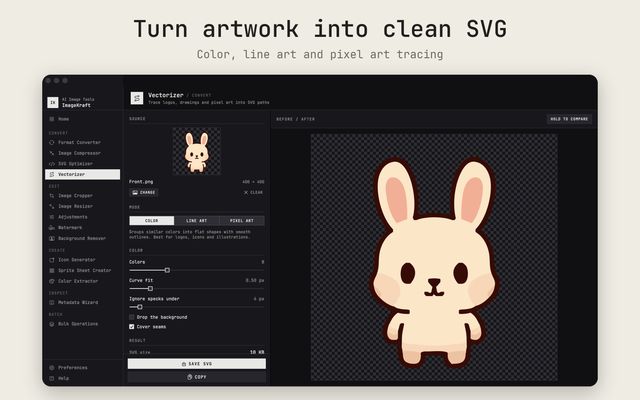
Vectorizer
Traces logos, drawings and pixel art into SVG paths in Color, Line Art or Pixel Art mode. Color mode starts at 8 colors.
- 04
SVG Optimizer
Shrinks and cleans SVGs, strips scripts and outside links, checks pixels against the original and exports PNG at any width.
- 05
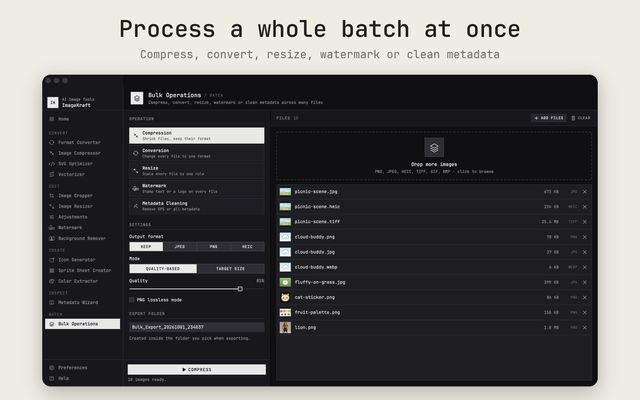
Bulk Operations
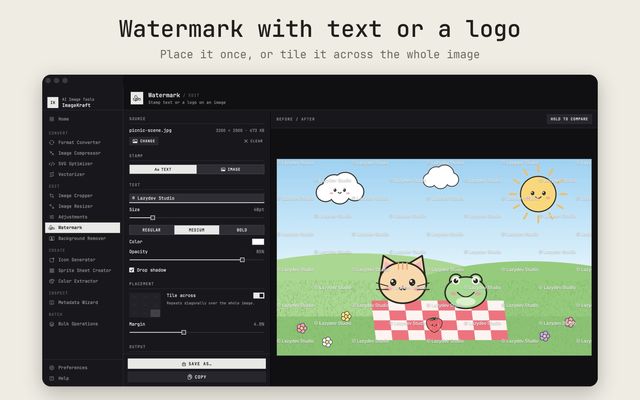
Compress, convert, resize, watermark or clean metadata across many files and export all results into one folder.
- 06
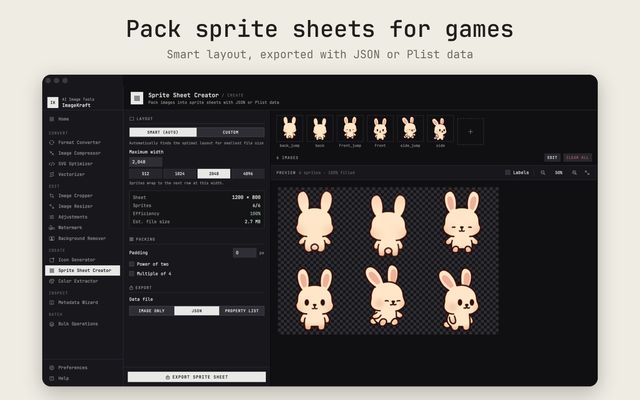
Icons and sprites
Builds app icon sets for iOS, macOS, watchOS, Android and the web, and packs sprite sheets with JSON or Plist data.
- 07
Metadata Wizard
Shows EXIF, GPS and IPTC data, strips GPS or all metadata, and exports the fields as JSON or text.
- 08
Agent access
Off by default. A skill lets AI agents on the same Mac use the tools through a token-protected server on 127.0.0.1.
A closer look
What's in 2.0
- Renamed to ImageKraft, with a new app icon. Installs as an update to the existing app
- New Ink & Paper look with Light, Dark and System appearance
- Background Remover rebuilt and out of beta, with an optional 490 MB HD model download
- New tools: SVG Optimizer and Vectorizer. SVG files can now be opened in the other tools too
- New tools: Image Cropper, Image Resizer, Adjustments and Watermark
- Bulk Operations adds Resize and Watermark, and shows file sizes before and after
- Agent access: an optional local skill lets AI agents on your Mac use the tools
- One before/after compare view and one Save and Copy footer in every tool. Quick Save is gone
- Open images with ⌘O, paste with ⌘V or use Finder's Open With, in any tool
- Lossy PNG compression now uses the app's own quantizer. An Acknowledgements window was added